在 Web 开发中,图像压缩是一项常见且关键的技术需求。随着高分辨率图像和多媒体内容日益普及,在保持图像质量的同时减小文件大小,对于提高页面加载效率和改善用户体验至关重要。作为连接用户与服务器的中间层,前端可以实现图像压缩,从而有效减轻服务器负载并加快页面渲染速度。本文将系统探讨在前端实现图像压缩的多种技术方法和实用解决方案。
使用 HTML5 Canvas 实现图像压缩
HTML5 <canvas> 元素为前端提供了强大的图像处理能力。通过使用 JavaScript 操作 <canvas>,开发者可以加载图像数据,执行缩放、裁剪和格式转换等操作,并生成压缩后的图像。
操作流程
- 加载图像:使用 FileReader 或 Image 对象加载图像。
- 渲染到
<canvas>:将图像渲染到<canvas>上,并通过调整尺寸或绘制参数控制压缩效果。 - 导出图像:使用
canvas.toDataURL()将内容转换为 Base64 编码的图像,或使用canvas.toBlob()获取 Blob 对象,以便进一步处理或上传。
下面是一个使用 <canvas> 进行图像压缩的简单示例:
/**
 * Compress an image using Canvas
 * @param {File|Blob} file - The original image file
 * @param {Object} options - Compression options
 * @param {number} [options.quality=0.7] - Image quality, range 0-1
 * @param {number} [options.maxWidth=1000] - Maximum width
 * @param {number} [options.maxHeight=1000] - Maximum height
 * @returns {Promise<Blob>} - The compressed image Blob
 */
function compressImage(file, options = {}) {
  return new Promise((resolve, reject) => {
    // Set default options
    const {
      quality = 0.7,
      maxWidth = 1000,
      maxHeight = 1000
    } = options;

    // Validate image file
    if (!file.type.startsWith('image/')) {
      reject(new Error('File is not a valid image'));
      return;
    }

    // Create image object
    const img = new Image();
    const reader = new FileReader();

    reader.onload = function(e) {
      img.src = e.target.result;
    };

    reader.onerror = () => reject(new Error('Failed to read file'));
    reader.readAsDataURL(file);

    img.onload = function() {
      // Calculate resized dimensions
      let width = img.width;
      let height = img.height;

      if (width > maxWidth) {
        height = height * (maxWidth / width);
        width = maxWidth;
      }

      if (height > maxHeight) {
        width = width * (maxHeight / height);
        height = maxHeight;
      }

      // Create canvas and draw image
      const canvas = document.createElement('canvas');
      const ctx = canvas.getContext('2d');
      canvas.width = width;
      canvas.height = height;

      // Draw image to canvas
      ctx.drawImage(img, 0, 0, width, height);

      // Determine image type
      const type = file.type === 'image/jpeg' ? 'image/jpeg' : 'image/png';

      // Convert canvas content to Blob
      canvas.toBlob(
        blob => resolve(blob),
        type,
        quality
      );
    };

    img.onerror = () => reject(new Error('Failed to load image'));
  });
}
使用第三方库
除了原生 JavaScript 和 HTML5 Canvas,开发者还可以利用第三方库简化图像压缩流程,并获得更出色的效果。ImageMagick 的 Node.js 适配器、CompressorJS 和 Pica 等库提供了高级配置选项(例如更复杂的图像处理参数)以及更好的跨平台兼容性,能够满足更复杂的应用场景。
在线工具
目前有许多免费的在线图像压缩工具,例如 TinyPNG、Imgur 和 ZipPic。这些工具提供便捷的压缩服务,用户只需上传图像,即可轻松获取压缩后的版本。
例如,使用 ZipPic 进行在线图像压缩:
- 访问 ZipPic。
- 点击图像选择区域,或将图像拖放到指定区域。
- 选择压缩格式,并调整所需的压缩质量。
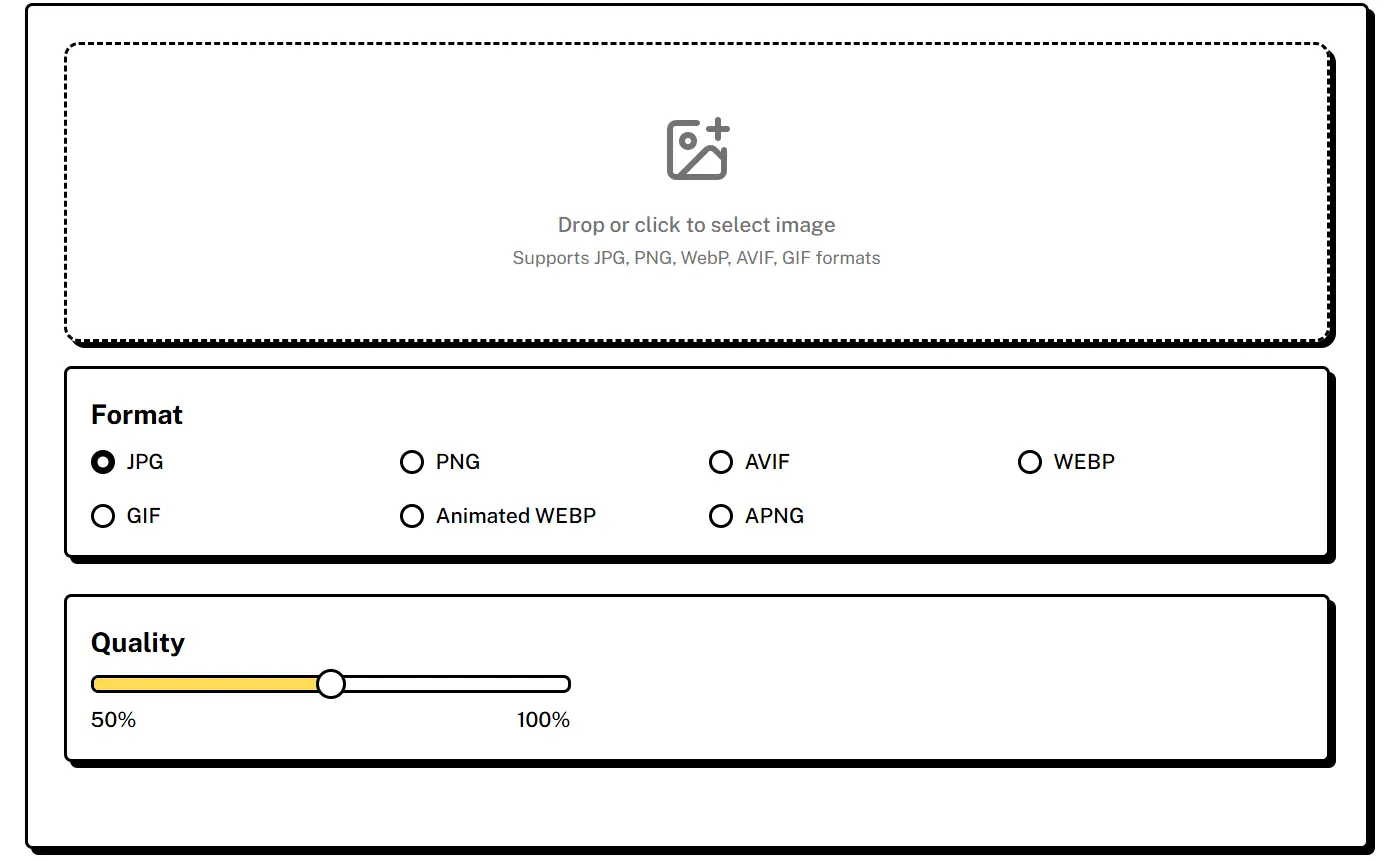 ZipPic 会自动处理图像,将其压缩为指定的格式和大小,处理完成后即可下载。整个过程非常高效。
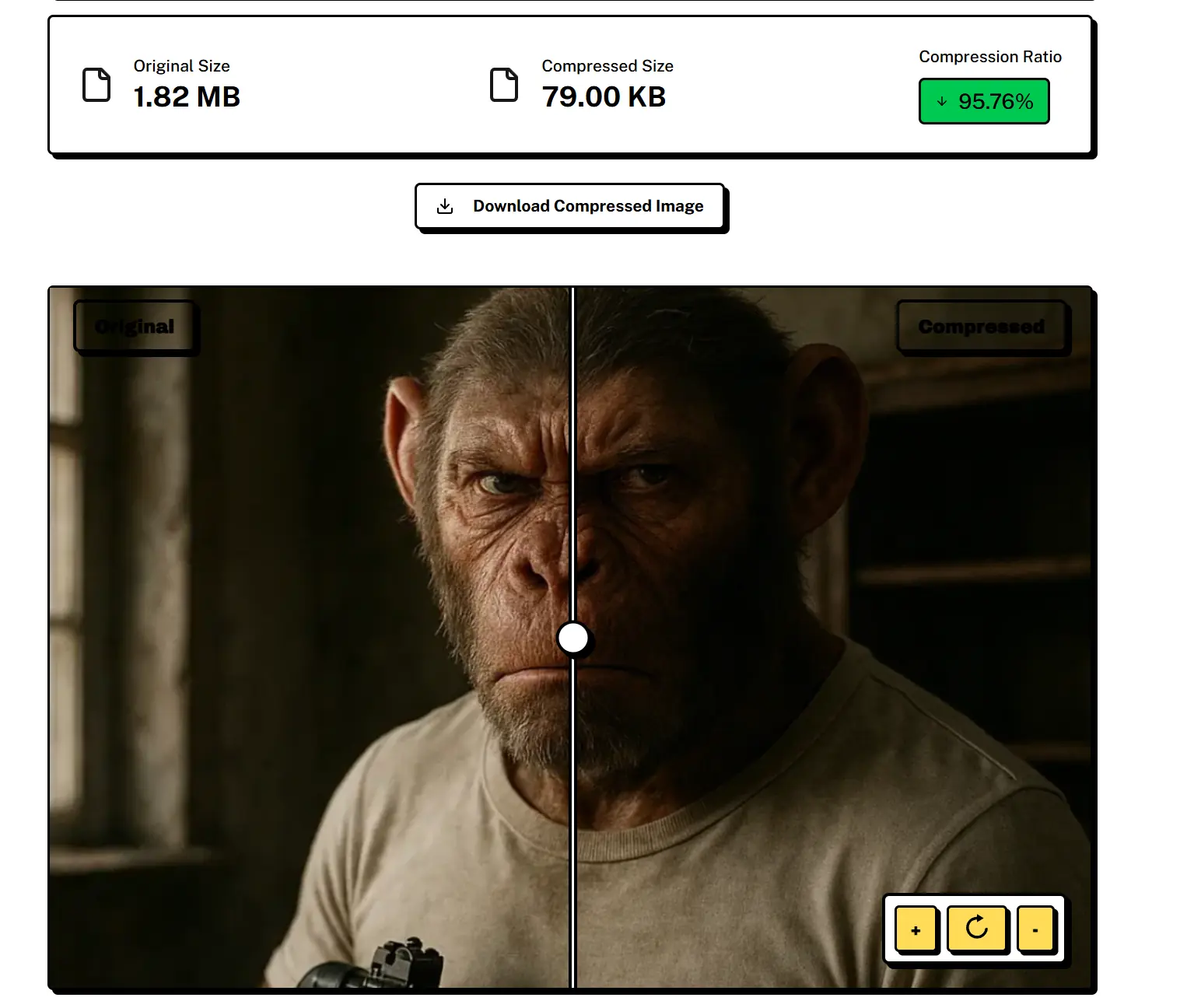
压缩效果非常显著:一张原始大小为 1.76MB 的图像可以压缩到仅 79KB,在图像质量损失极小的情况下,实现 95.76% 的压缩率。
关键注意事项
- 压缩质量与文件大小:较高的压缩质量可以保留更好的图像质量,但会导致文件更大,反之亦然。应根据具体需求进行调整。
- 性能考量:在前端压缩大型图像或频繁执行图像处理,可能会消耗大量 CPU 资源,从而影响页面性能。