
Best Image Formats for the Web: A Practical Guide for Developers
Images can account for 60–70% of a webpage's total size, making image optimization essential for improving website performance and user experience. Choosing the right image format affects not only loading speed, but also visual quality, SEO rankings, and cross-platform compatibility.
This guide provides a detailed overview of the most commonly used image formats in Web development—GIF, PNG, JPG, and WebP—and explains their features, advantages, disadvantages, and best use cases.
Understanding Image Compression Types
Before exploring specific formats, it is important to understand how images are compressed:
- Uncompressed formats
These formats do not use compression and preserve all of the image's original data. The most common example is BMP, which offers high quality but has a very large file size. It is rarely used in Web development.
- Lossless compression
This reduces file size while preserving all of the original image data. Lossless compression is ideal when there can be no loss in quality. PNG is a typical example.
- Lossy compression
This discards some image data during compression, usually data that is difficult for the human eye to detect. This can significantly reduce file size, but at the cost of some quality. JPG uses this type of compression.
GIF: Suitable for Simple Animations and Images with Limited Colors
GIF (Graphics Interchange Format) uses the LZW lossless compression algorithm and supports:
- 256 indexed colors
- Basic transparency
- Simple animations
However, its color limitation makes it unsuitable for images with rich detail or vivid colors. GIF is best suited for icons, logos, and lightweight animations with limited colors.
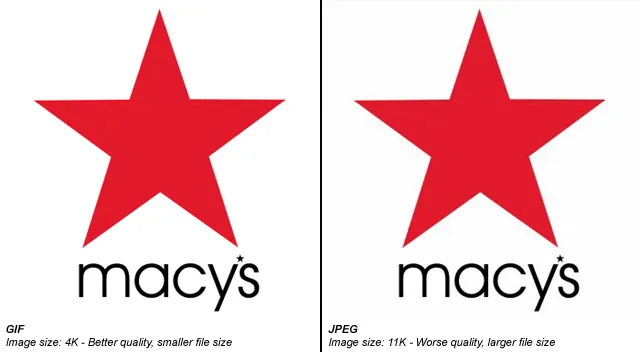
JPG (JPEG): Suitable for Photos and Rich Gradients
JPG is a lossy true-color format that supports up to 16 million colors. It is ideal for:
- High-resolution photos
- Images with complex gradients
- Large visual assets where a smaller file size is important
However, JPG does not support transparency, and noticeable quality degradation can occur after repeated saving. JPG is not recommended for UI elements such as icons or logos.
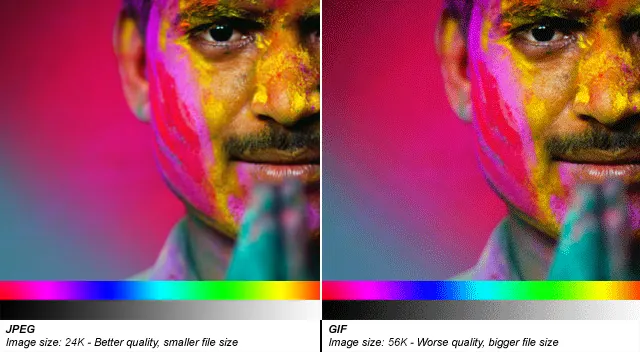
PNG: Clear, Sharp, and Versatile
PNG-8
PNG-8 uses 8-bit indexed color and lossless compression. Its features include:
- Basic transparency support
- Smaller file sizes than GIF
- Excellent suitability for simple graphics
However, PNG-8 does not support animation, which limits its flexibility.
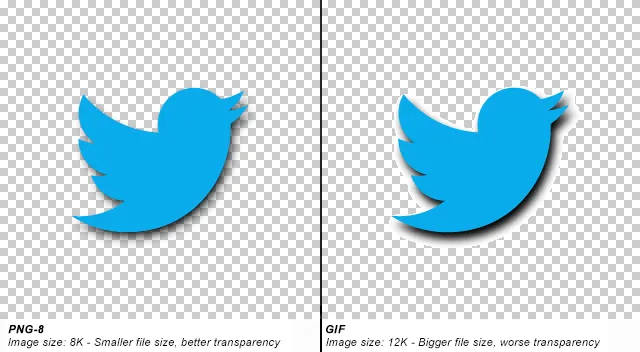
PNG-24
PNG-24 supports 24-bit true color and provides:
- Rich color depth
- Full Alpha transparency
- Lossless compression
Although it delivers high image quality, PNG-24 files are significantly larger than JPG files. It is suitable for design files, images that require frequent editing, or high-quality assets that need transparency.
WebP: The Next-Generation Image Format
Developed by Google, WebP combines the advantages of both types of formats:
- Supports lossy and lossless compression
- Supports transparency and animation
- Can reduce file size by up to 30% compared with JPG/PNG
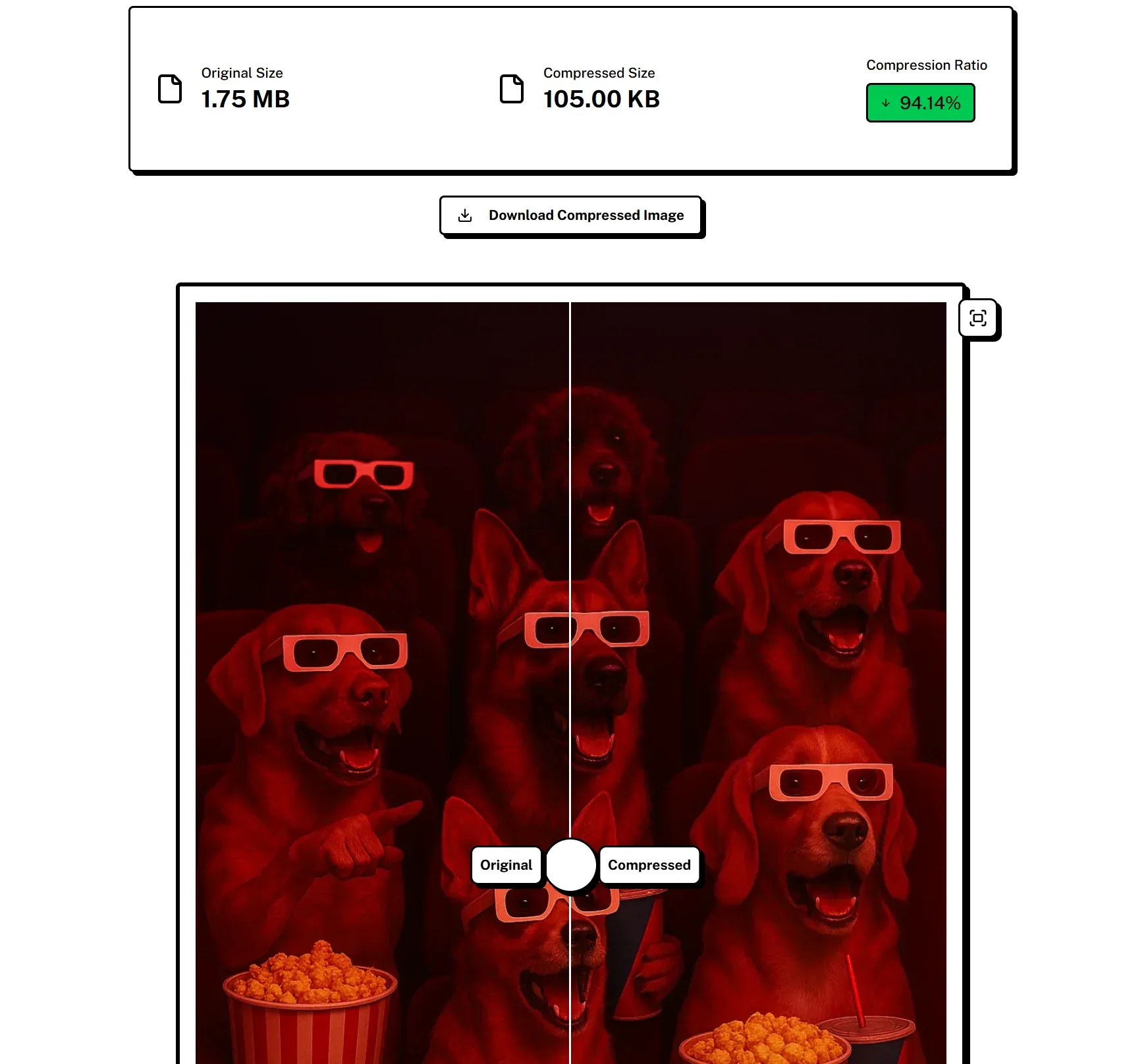
WebP can technically replace most common formats, making it an excellent choice for modern Web applications, mobile-first websites, and performance-focused platforms.
Disadvantage: Browser Compatibility
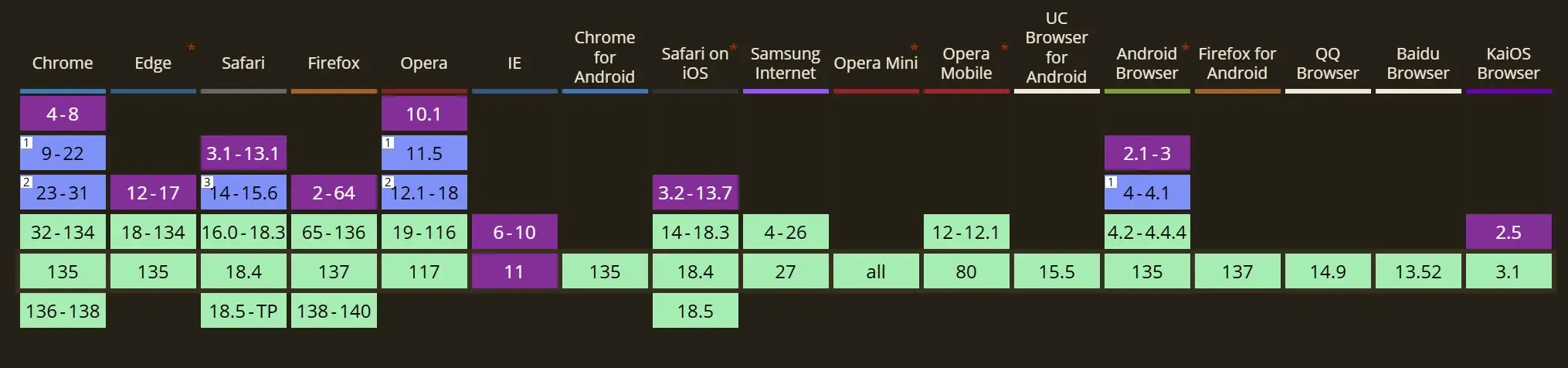
Although modern mobile browsers and Chromium-based browsers (Chrome, Edge, Opera) now offer comprehensive WebP support, older desktop browsers may still not support the format.
Quick Comparison of Image Formats
| Format | Key Advantages | Limitations | Best Use Cases |
|---|---|---|---|
| GIF | Small file size, animation support, broad compatibility | Supports only 256 colors and is unsuitable for detailed visual content | Icons, logos, simple animations |
| JPG | Supports millions of colors, high compression ratio, small file size | No transparency support; lossy quality degradation after repeated saving | Photos, product images, colorful graphics |
| PNG | Lossless compression, transparency support | Larger file sizes for complex images; PNG-8 does not support animation | UI elements, screenshots, high-quality graphics |
| WebP | Excellent compression, animation and transparency support, modern and efficient | Not yet fully supported by all browsers | Mobile applications, WebView, performance-focused Web projects |
Final Recommendations: Choose the Right Format
Google's image format selection chart provides a valuable reference for developers who want to achieve the ideal balance between quality and performance:
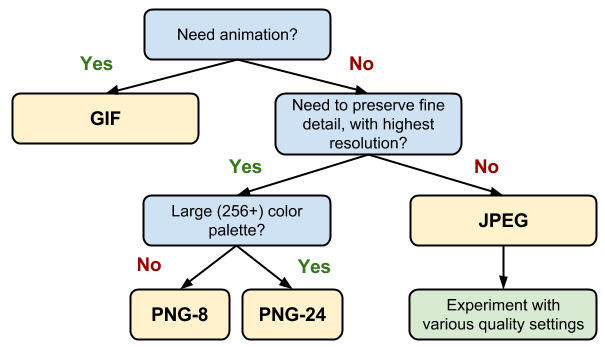
Best practices:
- Use WebP whenever supported to optimize performance.
- For images with rich colors and complex structures, prioritize JPG.
- Choose PNG for images that require transparency or lossless quality.
- Use GIF only for simple animations or when compatibility with older environments is required.