As AI image generation tools grow increasingly powerful, brand logo design has shifted from "hire a designer" to "write a good prompt and get results."
Today, we're spotlighting a creator who regularly shares commercial-grade visual case studies publicly — Larus Canus (@MrLarus) — and his latest 30th release: the "Cute & Trendy Thick-Line IP" Logo prompts.
Meet the Creator
Larus Canus is a Prompt Engineer and AI Builder focused on practical AI commercialization. He regularly shares original visual case studies and prompts on X.
His focus isn't on showcasing technical tricks, but on breaking down AI capabilities into replicable, actionable methods that help teams and small brands validate visual directions faster. His content revolves around AI, business, and daily observations, with a public, practice-oriented style. With nearly 40,000 followers, many of his case studies can be adapted directly by tweaking the wording.
In the logo space, he continuously experiments with different brand visual languages. This "Cute & Trendy Thick-Line IP" series leans toward small shops, cultural products, lifestyle brands, and youth-oriented brands — emphasizing cuteness without being childish, and simplicity with strong commercial recognizability.
4 Adorable Yet Commercially Viable Case Studies
The theme of this 30th release is "Cute & Trendy Thick-Line IP" Logos. The overall style features thick black outlines + rounded characters + lively typography + small taglines. It's both cute and trendy, with high recognizability — perfect for cup stickers, packaging, storefronts, decals, and social media avatars.
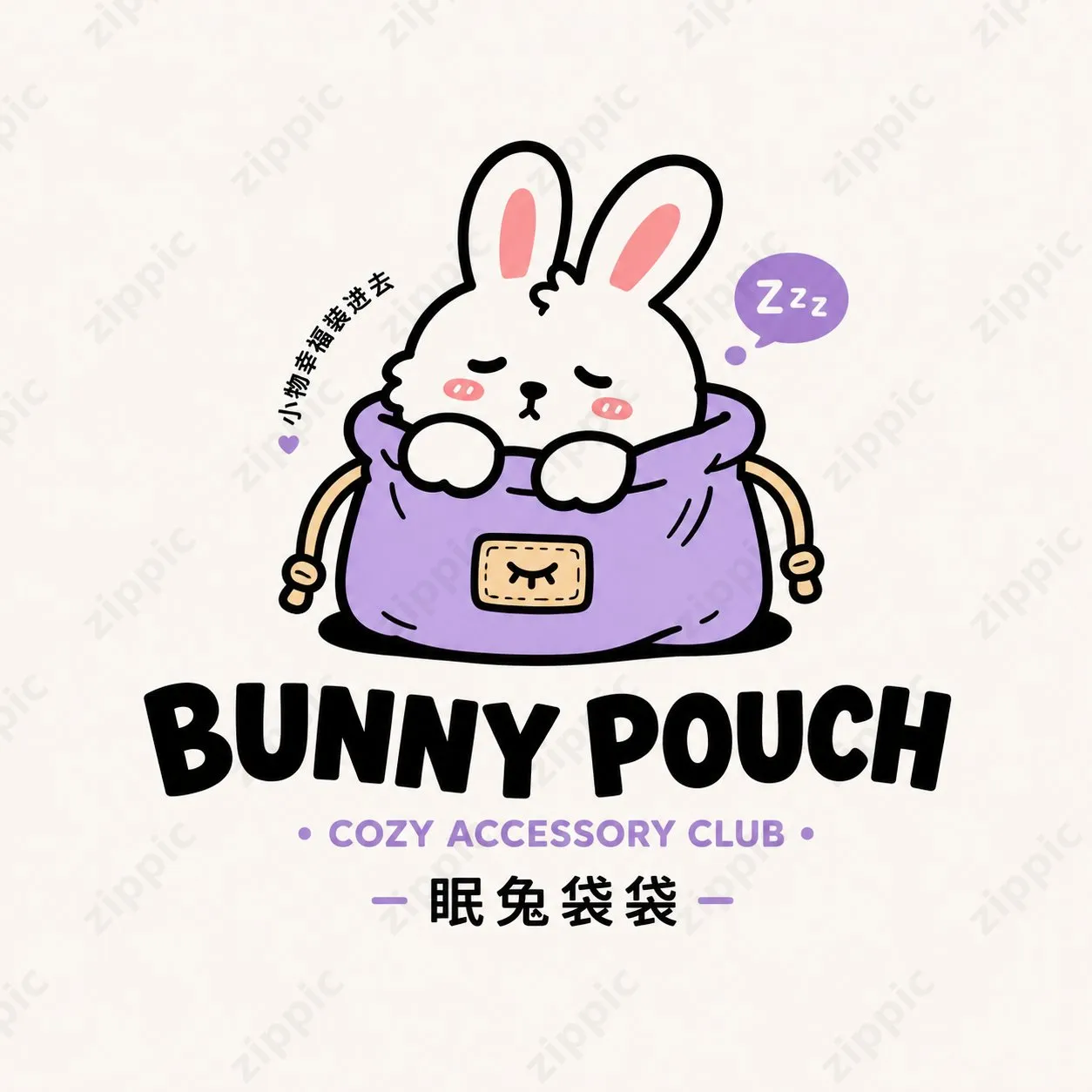
Bunny Pouch
A white bunny with closed eyes nestles comfortably inside a purple pouch, with a "Zzz" speech bubble and the short phrase "Little Joys, Packed In."
Main title uses a bolder English font, with the subtitle "COZY ACCESSORY CLUB." Overall gentle and healing — suitable for general merchandise, small goods, and cultural product brands.
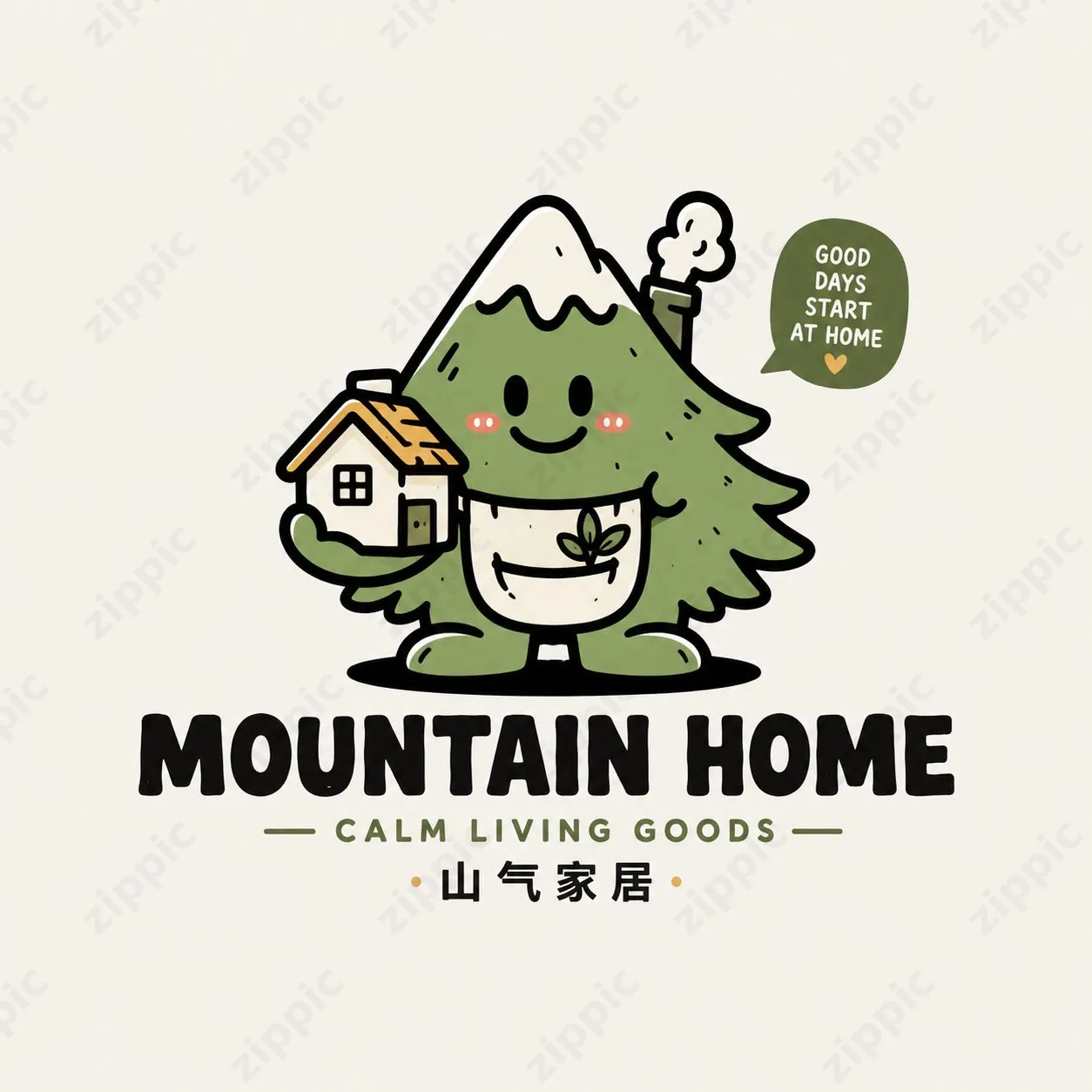
Mountain Home
An anthropomorphized green mountain tree character smiles while hugging a small house, with a sprout element on its chest and the tagline "GOOD DAYS START AT HOME."
This case combines the concepts of "mountain, home, and nature" into a single character, giving it broad appeal — suited for home, lifestyle, and community-focused brands.
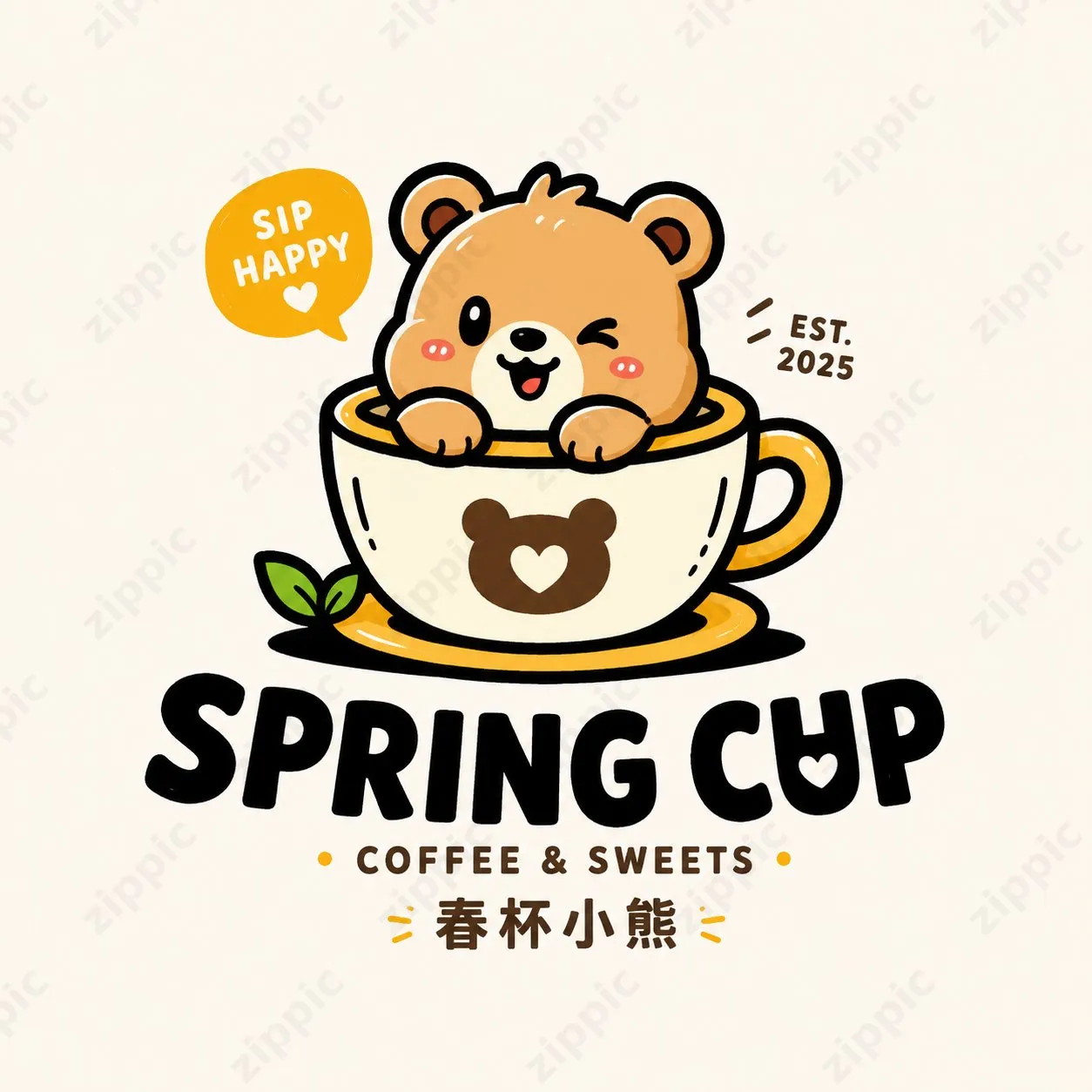
Spring Cup
A winking, adorable bear peeks out from a coffee cup, with a "SIP HAPPY" bubble and "EST. 2025."
Main title is "SPRING CUP," subtitle is "COFFEE & SWEETS." The character and category are directly integrated — ideal for coffee shops, dessert shops, and beverage brands.
Frog Lab
A green frog scientist wearing glasses and a white lab coat holds a flask and lightbulb, with the bubble text "LEARN DISCOVER CREATE!"
Title is "FROG LAB," subtitle is "KIDS SCIENCE CLUB." This case suits children's education, fun learning, parent-child activities, and science communication brands.
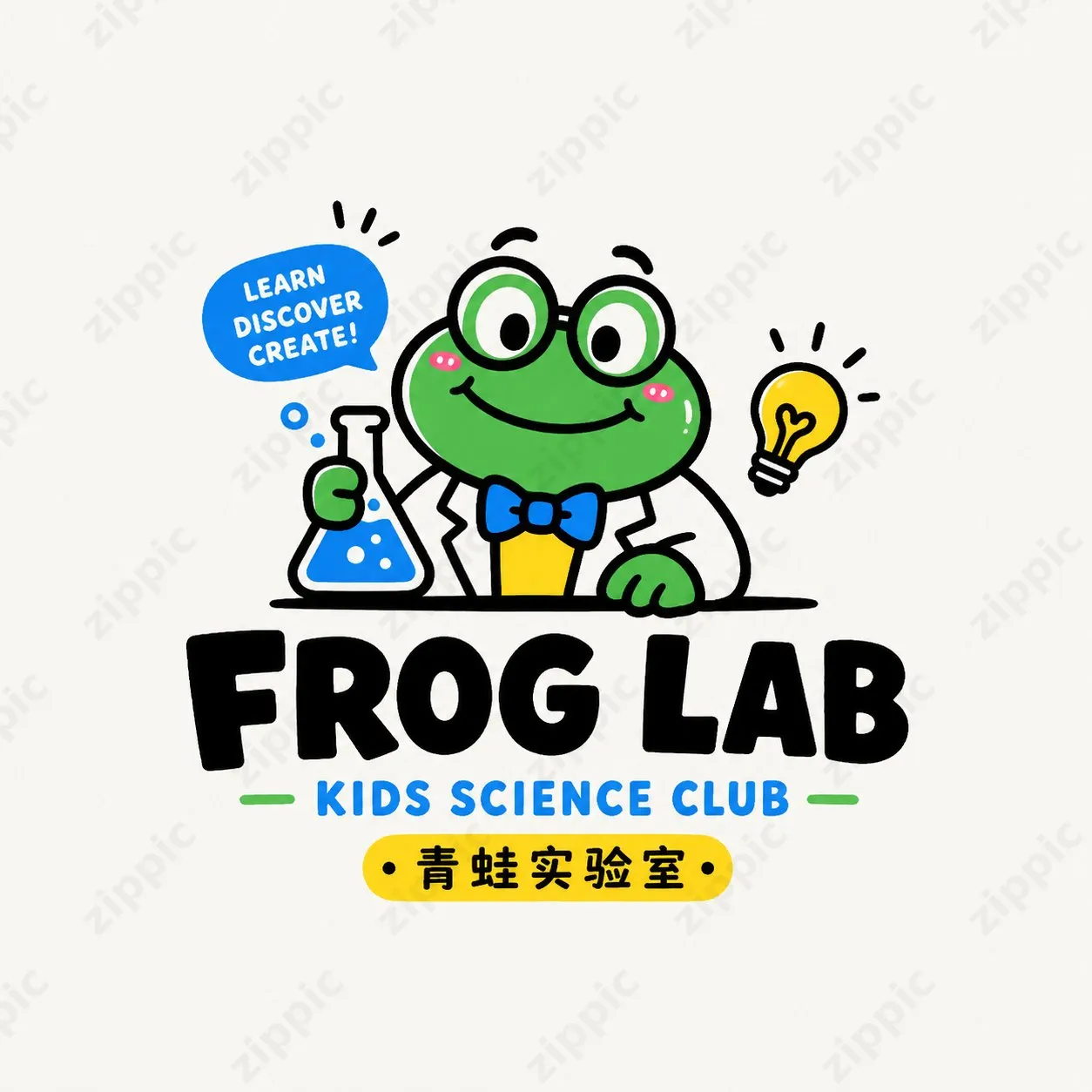
These four cases share a common approach: pure white background, centered graphic, thick outlines, limited color palette, and clear text hierarchy. They typically use only 2 to 4 colors, giving them a sticker-like feel while remaining easy to extend into packaging and merchandise.
All these logos use a pure white background, centered graphic, thick outlines, and 2-4 bright colors — combining a sticker aesthetic with commercial scalability.
Full Core Prompt Shared Publicly
The author directly provided a universal prompt template in the comments — you can replace the brand name, category, and character direction. Very practical:
Universal Prompt:
Design an original cartoon mascot logo with a cute, trendy, light-retro, commercially usable small-shop brand visual style. Use a pure white background, with the logo displayed alone and centered — do not make it into a poster collage. Center around the "[Brand Name]" with a rounded, adorable animal / little monster / anthropomorphized character. The character should have a strong memorable point, with simple shapes, lively expression, and clear outlines, carrying a relaxed and playful feel.

Overall style reference: thick black outlines, flat color blocks, highly recognizable cartoon imagery, a slight handmade touch, sticker-like feel, small-shop IP vibe. Limit colors to 2–4 main colors, bright but not harsh. Can use cream, orange-yellow, grass green, lake blue, misty pink, caramel brown and other youthful palettes. Avoid dirty grays, excessive complexity, and gradient metallic effects.

Layout requirements: The graphic should be the main visual on top, with the brand wordmark below or naturally integrated with the graphic. The main brand title can be in Chinese, English, or a mix. The font should be rounded, thick, friendly, with a slight handwritten or playful deformation feel. A short subtitle, tagline, or category description may be added to enhance completeness, but avoid excessive text. Overall proportions should be comfortable, with a tight relationship between graphic and text, conveying brand identity — suitable for storefronts, packaging, stickers, cup decals, and social media avatars.

Detailing requirements: The logo must be original, not a direct copy of references. Avoid being too childish or overly naive. It should balance cuteness with a sense of design and commercial viability. Outlines should be clean, with high recognizability for easy future extension. Output should be a single, high-resolution, clean, and clear finished logo image.
Replaceable information:
- Brand Name: Bunny Pouch / Mountain Home / Spring Cup / Frog Lab
- Category Direction: General Merchandise / Home / Beverages / Kids Community / Cultural Products / Snacks / Coffee / Lifestyle Brands
- Character Direction: Rabbit / Bear / Frog / Mountain Sprite / Anthropomorphized Cup / Anthropomorphized Pouch / Cute Pet Character
The core strength of this prompt lies in clearly defining the "cute + trendy + thick-line + commercial small-shop feel," while strictly controlling background, color palette, layout, and commercial use cases — avoiding common AI issues like "too complex" or "too childish."
Practical Workflow: Three Steps to Quick Results
Step 1: Prepare Your Tools
Open a ChatGPT instance that supports image generation, or a tool compatible with GPT-Image2, and confirm that image generation is available.
Step 2: Copy and Tweak the Prompt
Paste the universal prompt above, then replace the three variables:
- Brand Name: e.g., "Bunny Pouch" or "Spring Cup"
- Category Direction: e.g., "Coffee," "Home," "Cultural Products," "Kids Community"
- Character Direction: e.g., "Rabbit," "Bear," "Frog," "Mountain Sprite," "Anthropomorphized Cup"
If you're creating a coffee shop brand, you might change it to:
Brand Name: Warm Day Coffee Category Direction: Coffee Shop Character Direction: Anthropomorphized Cup Bear
Step 3: Generate and Iterate
After sending the prompt, generate around 4 variations. Pick the one closest to your brand's vibe and continue refining.
For example, you can say:
- "Make the outline thicker"
- "Make the character expression more relaxed"
- "Change the subtitle to..."
- "Reduce colors, keep only cream yellow and caramel brown"
Since the base setup already uses a pure white background and centered logo, subsequent work on stickers, packaging, cup decals, and social media avatars will be straightforward.
Here's a result generated using GPT Image 2.0:
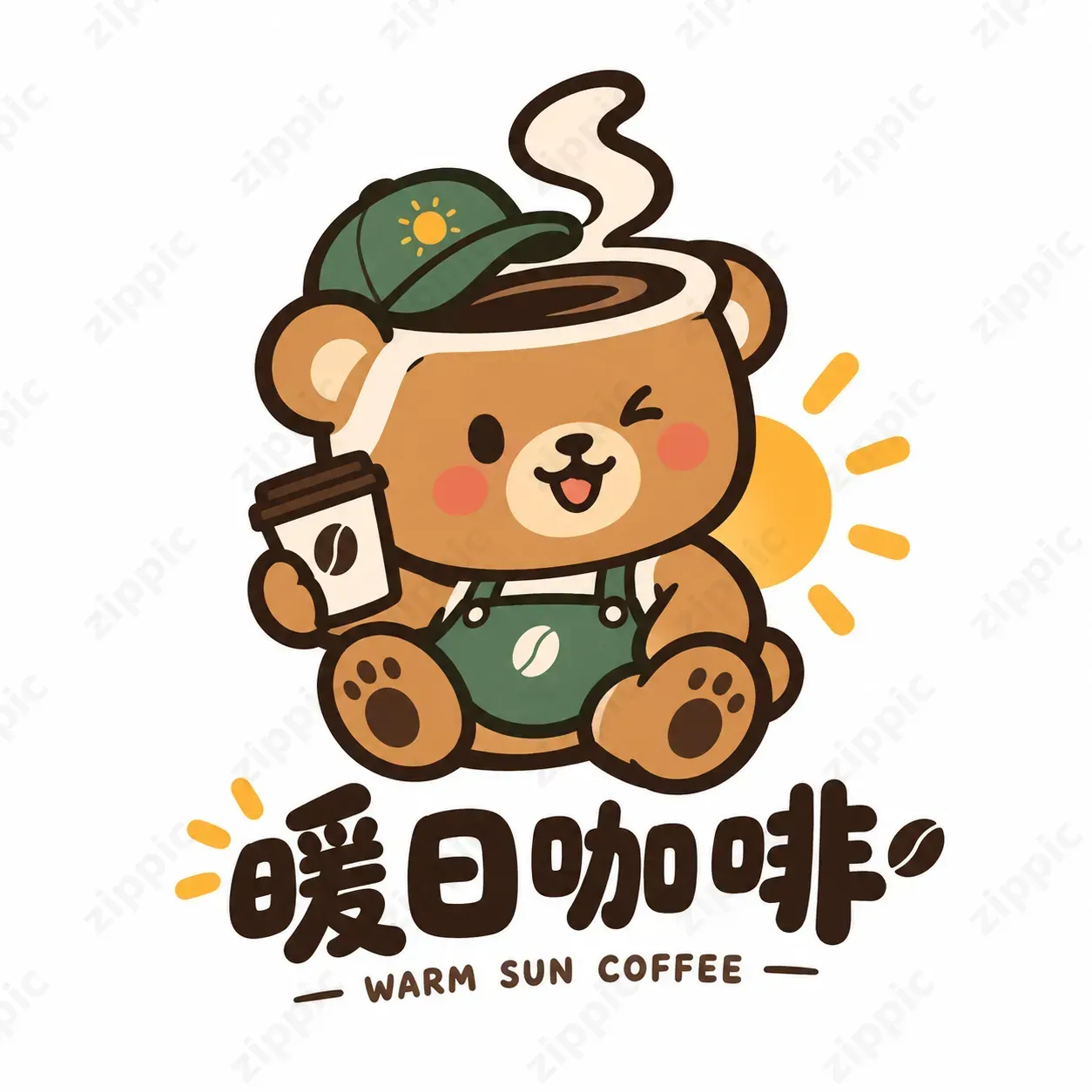
The whole process typically takes just a few minutes to produce a usable set of brand visuals — very suitable for independent brands, small shop owners, or designers who want to test ideas quickly.
Don't Forget to Optimize Image Size After Generation
AI-generated high-res logos often have large file sizes. Directly uploading them to websites, social media, e-commerce detail pages, or messaging apps can slow down loading.
We recommend using the free online image compression tool https://zippic.app.
Its core advantages fit this use case well:
- All processing happens locally in your browser — images never upload to servers, ensuring privacy
- Supports JPG, PNG, WebP, GIF, AVIF, and other formats
- High compression ratio while maintaining quality
- Batch processing, drag-and-drop, no sign-up or login required
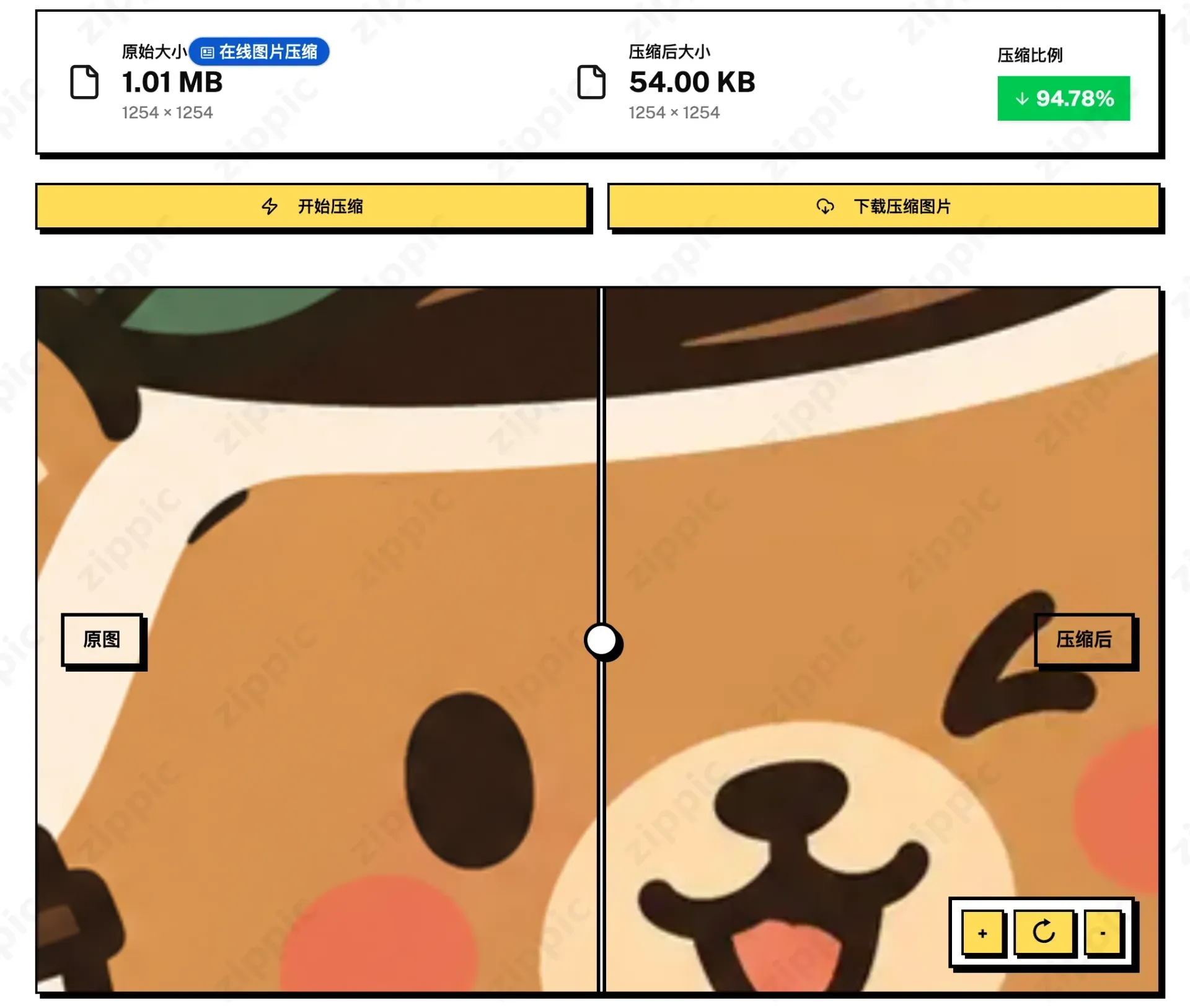
After generating your cute logo, just drag it into zippic.app to compress it. The file size drops significantly, pages load faster, and the charming thick-line visual remains intact. Whether for brand websites, packaging print previews, or social media avatars, it makes everything more efficient.
When I generated an image with GPT-Image 2.0, the file was 1.01 MB. After compression, it dropped to 54 KB — a 94.8% size reduction with image clarity fully preserved.
If you're interested, try out this prompt and pair it with zippic.app to fine-tune your image optimization.