zippic’s image cropping feature is very powerful, but many people don’t know how to use it. Today, I’ll show you how to use zippic to crop images.
Introduction to zippic’s Cropping Feature
zippic.app is a free tool platform focused on online image processing. Its image cropping tool runs entirely locally in the browser, requires no registration and no server upload, ensures privacy and security, and supports common formats such as JPG, PNG, and AVIF. Whether you need to create ID photos, a nine-grid collage for Moments, social media covers, or simply adjust a photo’s aspect ratio, you can easily achieve precise cropping, rotation and flipping, and one-click application of preset sizes. Below is a detailed article explaining how to do it.
zippic Cropping Workflow
Open your browser and go to the dedicated page for the zippic.app image cropping tool: https://zippic.app/image-cropper
Select the image you want to crop. You can choose an image by dragging and dropping it or by clicking to upload. Common formats such as JPG, PNG, and AVIF are supported.
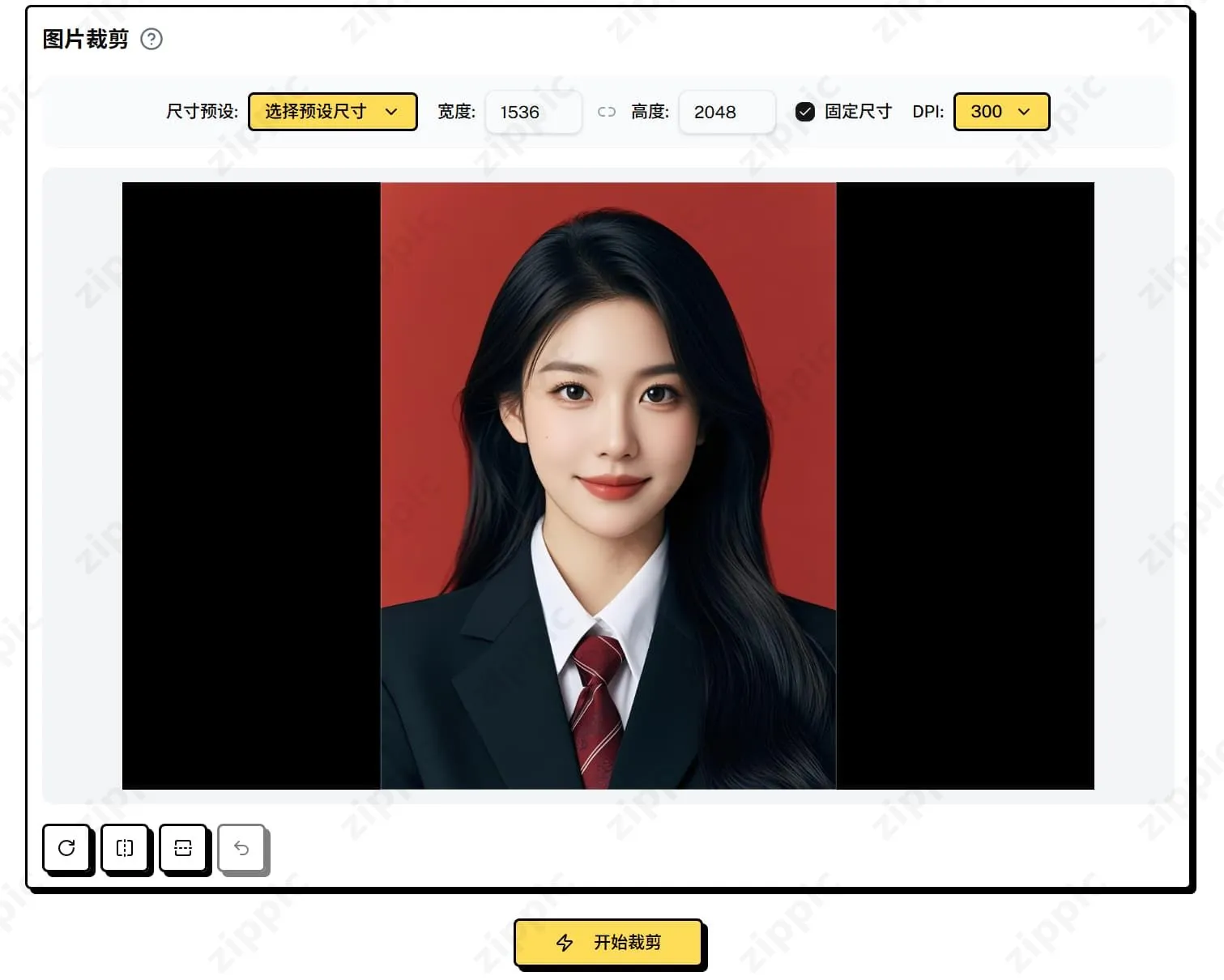
You can choose the ID photo size to crop by using commonly used preset dimensions. If the presets don’t meet your needs, you can enter the desired width and height in pixels yourself. You can also lock the aspect ratio to keep the pixel proportions consistent.

On the right, you can also choose the DPI value you want to output. Common options include 72 DPI, 300 DPI, and more. After selecting it, click the crop button to get the cropped result you want.
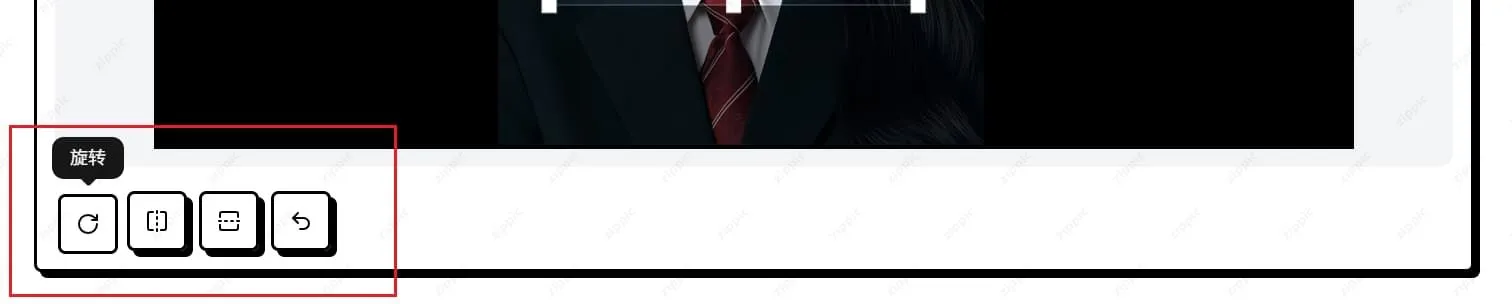
The lower-left corner supports rotation, flipping, vertical flipping, and reset functions. You can adjust the image orientation and position as needed, then click the 【Start Cropping】 button to crop the image.
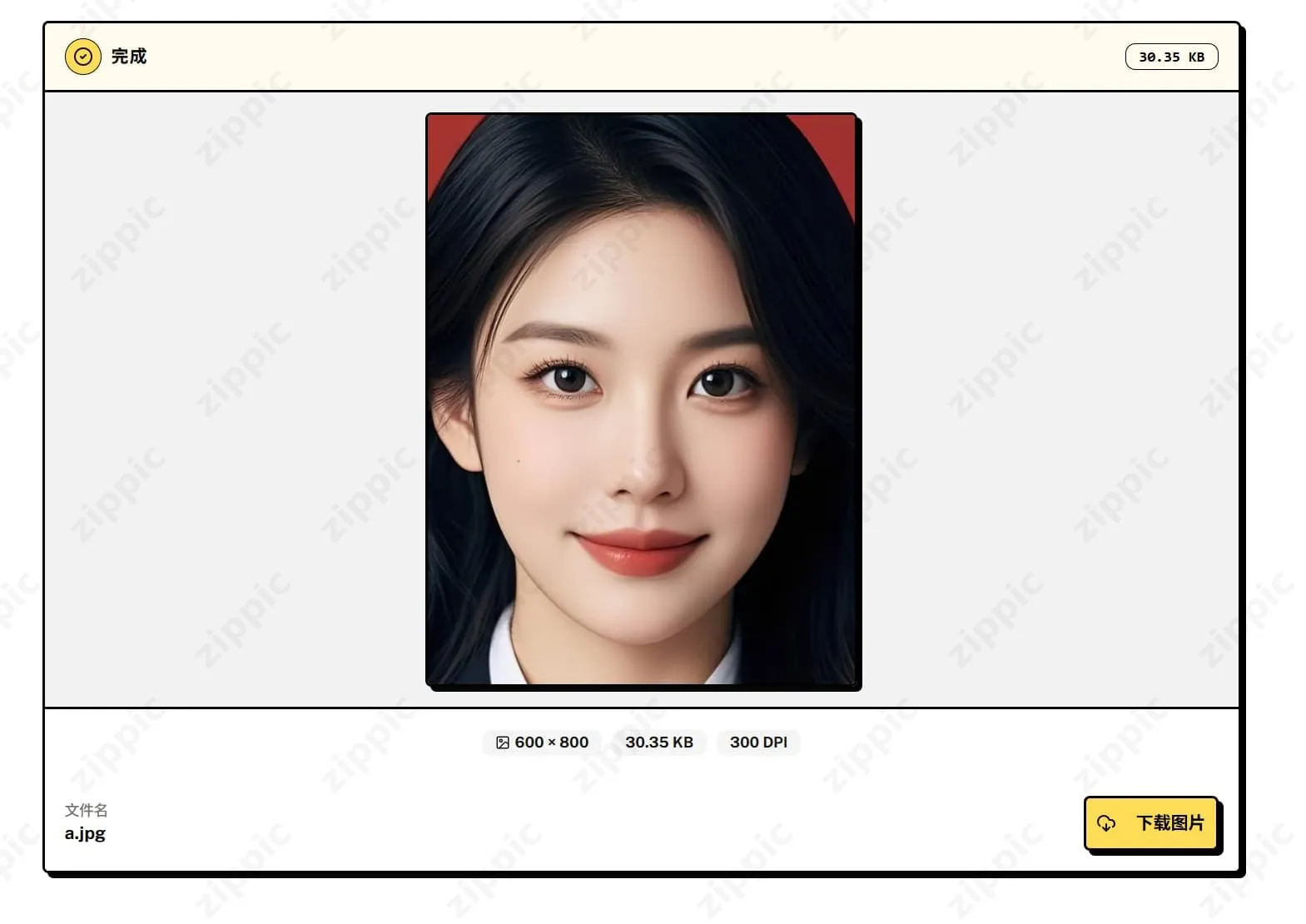
The final result is displayed with information such as output dimensions, file size, and DPI. Click the 【Download】 button in the lower-right corner of the card to save it locally.
Practical Use Cases and Tips
- ID photos/resume photos: Select a preset size directly and create a standard-format photo in 30 seconds.
- Social media images: Use aspect ratio locking + free dragging to perfectly fit ratios such as 9:16 and 1:1.
Notes and Summary of Advantages
- No restrictions: Free, no ad interruptions, and no file size limit (subject to browser memory).
- Privacy and security: Entirely processed locally; your images never leave your device.
- No account required: Open and use immediately, with zero barriers.
In one sentence: zippic.app’s image cropping tool truly delivers “what you see is what you get, and local processing means security.” It is simple to use yet powerful, making it suitable for students, designers, and self-media creators in daily use.
Go try it now! Open https://zippic.app/image-cropper and get a perfectly cropped result within 3 minutes.